Can I Return a Vacuum to Costco After 2 Years? Expert 2026
Yes, Costco’s satisfaction guarantee allows members to return most items, including vacuums, at any time if they are dissatisfied. However, vacuums are occasionally scrutinized to ensure they do not fall under strict appliance limits, and final return approval always rests with the local store manager.
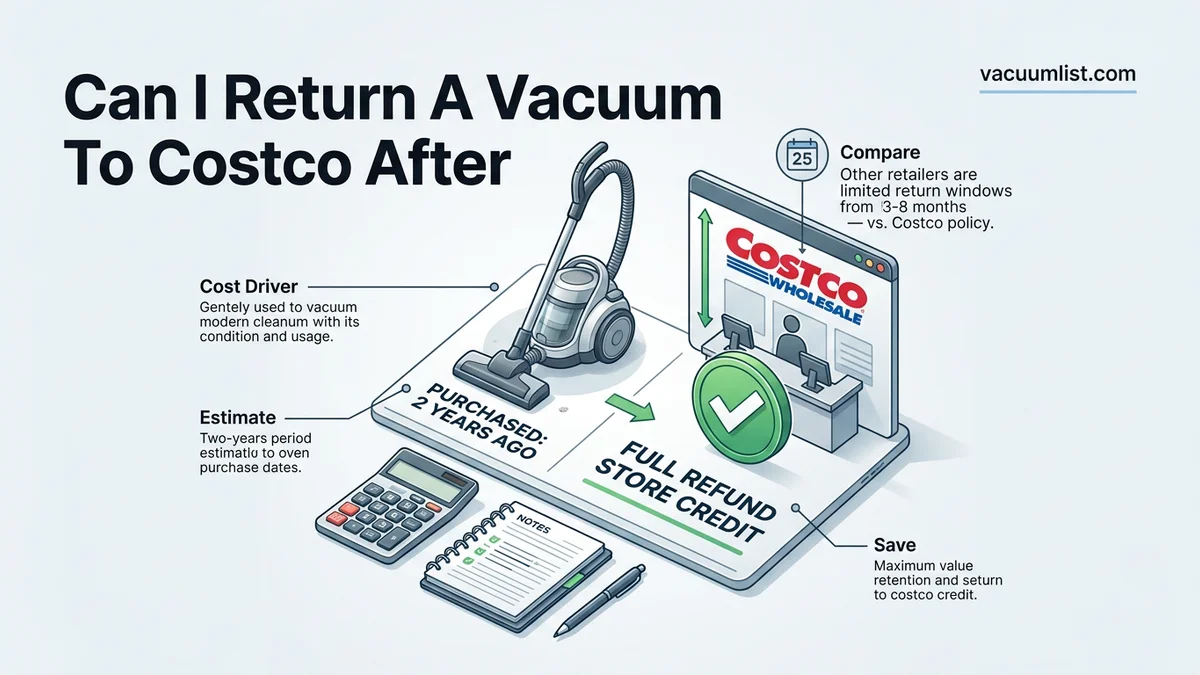
Yes, you can technically attempt to return a vacuum to Costco after two years under their legendary membership satisfaction guarantee, but approval is entirely at the discretion of the warehouse manager. While Costco’s general merchandise return policy allows returns nearly anytime if you are unsatisfied, vacuums frequently sit in a gray area regarding appliance classifications.
Navigating this situation in 2026 requires understanding how customer service employees evaluate electronics, appliances, and general household goods. Knowing the exact rules prevents wasted trips and awkward counter debates.
Key Takeaways
- Vacuums generally fall under Costco’s standard satisfaction guarantee rather than the 90-day major appliance rule.
- You do not need original packaging, but you must have your membership card or account lookup.
- Local store managers hold final discretion over whether a 2-year-old return is accepted.
- Normal wear and tear may sometimes lead to a rejected return if the product is simply worn out.
- Refunds are typically issued in the original form of payment or as a cash/shop card.
What Causes Return Policy Confusion Over Vacuums at Costco
The Appliance Versus General Merchandise Debate
The primary source of confusion stems from how Costco categorizes different types of home products. Major appliances like refrigerators, washers, and dryers carry a strict 90-day return window. Because vacuums plug in, have motors, and cost significant amounts of money, many members wrongly assume they fall into this 90-day restrictive category.
- Standard vacuums like Dyson, Shark, or Bissell typically fall under the general merchandise umbrella.
- General merchandise is backed by the standard Costco satisfaction guarantee with no official time limit.
- Robotic vacuums occasionally blur the line due to their complex smart electronics and rechargeable lithium-ion battery components.
Misinterpreting the 90-Day Electronics Rule
Another common hurdle involves confusion with Costco’s electronics policy. Televisions, computers, cameras, and major touch-screen devices must be returned within 90 days of purchase. Floor care items do not share this classification.
Because customer service associates deal with overlapping timelines daily, a vacuum sitting in your home for 24 months might trigger an initial hesitation at the register. Expect the staff to double-check their system guidelines before processing the transaction.
Returning a Costco Vacuum After 2 Years Made Easy: Your Essential Action Plan
Navigating Costco’s famous return policy can sometimes feel intimidating, especially when dealing with an appliance you have owned for 24 months. This comprehensive guide walks you through the exact process of returning a used vacuum to Costco after two years, detailing how the Return Satisfaction Guarantee applies, what items you need to bring, and how to communicate effectively with customer service staff to ensure a smooth, hassle-free transaction.
Step 1: Review Costco’s Return Policy Guidelines
What you need: Your original purchase memory, an internet-connected device or your Costco mobile app.
Instructions: Before heading to the warehouse, familiarize yourself with the nuances of Costco’s Risk-Free Satisfaction Guarantee. While Costco allows returns on almost everything at any time, electronics, major appliances, and specific items carry a strict 90-day window. Vacuums generally fall under standard merchandise rather than major appliances (like refrigerators or washers), meaning they are usually covered indefinitely. However, management retains final discretion. Verify that your vacuum model is not classified under a strict electronic sub-category, and understand that returns must be driven by genuine dissatisfaction rather than normal wear and tear abuse.
Pro Tip: Do not confuse “standard appliances” with “major appliances.” Floor care products like Dyson or Shark vacuums are almost always processed under the general satisfaction guarantee.
Step 2: Gather the Vacuum and All Accessories
What you need: The used vacuum, power cords, attachments, crevice tools, filters, and manual (if available).
Instructions: Collect every single piece that originally came inside the vacuum’s box. Even after two years of usage, bringing a complete kit dramatically increases your chances of a smooth return. Inspect the floor head, extension wands, extra filters, and charging docks if it is a cordless model. If you are missing a minor component like a dusting brush, be prepared to explain this to the employee, but aim to assemble as much of the original package as possible to show respect for the store’s policy.
Pro Tip: Place all loose attachments inside a large clear plastic bag so they do not fall out or get lost while waiting in line at the customer service desk.
Step 3: Clean and Decontaminate the Appliance
What you need: Disinfectant wipes, compressed air, a damp cloth, and scissors (to cut away hair tangled in the brush roll).
Instructions: Out of basic courtesy and hygiene standards, thoroughly clean the vacuum before bringing it back into a retail store. Empty the dust canister or dispose of any old, dirty vacuum bags. Wipe down the exterior plastic housing to remove scuffs, dust, and pet hair. Use scissors to meticulously cut away wrapped hair, carpet fibers, and debris from the rotating brush roll. A clean vacuum shows the employee that you took good care of the machine, making them much more receptive to processing your return after two years of use.
Pro Tip: Never return a vacuum caked in pet dander, dirt, or foul odors. Employees have the right to refuse heavily soiled items due to biohazard and sanitation policies.
Step 4: Locate Your Proof of Purchase or Order History
What you need: Your Costco membership card, the Costco app, or your physical credit card/receipt if kept.
Instructions: Even though Costco tracks purchases digitally via your membership number, having proof of purchase speeds up the process significantly. Open the Costco mobile app, log into your account, and navigate to your online and warehouse purchase history. Scroll back roughly 24 months to find the specific receipt line item for the vacuum. If you bought it in the warehouse, the digital receipt will show the exact date, price paid, and warehouse location, which prevents the customer service agent from having to manually search the database.
Pro Tip: If you cannot find the receipt in the app, do not panic. The customer service desk can scan your membership card and pull up your complete purchase history spanning several years.
Step 5: Articulate Your Reason for the Return
What you need: A clear, honest explanation regarding why the vacuum no longer meets your needs.
Instructions: Be prepared to explain to the returns clerk why you are returning a vacuum after two years. Costco evaluates returns based on member satisfaction. Valid reasons include a sudden loss of suction power, broken motorized brush rolls, poor battery life degradation on cordless models, or a design flaw that makes it unsuitable for your new flooring type. Avoid saying “I just wanted a newer model”; instead, focus on how the product failed to deliver long-term reliability or satisfactory cleaning performance.
Pro Tip: Honesty is always the best policy. Simply state calmly: “The suction has drastically decreased and parts have worn out prematurely, and I am unsatisfied with its longevity.”
Step 6: Visit the Costco Membership and Returns Counter
What you need: Your Costco membership card, photo ID, and the fully assembled, clean vacuum.
Instructions: Head to the back or front of your local Costco warehouse where the Returns desk is located. Pull a number if required or wait in line. When your turn arrives, place the vacuum and its attachments on the counter and present your membership card. Politely state that you would like to return the vacuum due to dissatisfaction. The employee will scan the item, check your membership history, and inspect the product condition. Answer any questions they have truthfully and politely.
Pro Tip: Go during off-peak hours, such as Tuesday or Wednesday mornings right when the store opens, to avoid long lines and ensure the staff has plenty of time to assist you.
Step 7: Receive Your Refund and Discuss Options
What you need: The original payment method used or acceptance of a Costco Shop Card.
Instructions: Once the supervisor or clerk approves the return, they will process the refund back to your original payment method (credit card, debit card, or cash). If the original credit card is no longer active, Costco will typically issue your refund via a cash payout or a Costco Shop Card (gift card). The refund amount will match the exact purchase price you paid two years ago. Decide whether you want to immediately use those funds to purchase a different, higher-rated vacuum model directly off the warehouse floor.
Pro Tip: Always double-check the refund receipt before walking away to ensure the correct amount has been credited back to your card or issued as cash.
✅ Final Checklist
- Verified the vacuum is not subject to a strict 90-day electronic policy limit
- Gathered all original attachments, cords, and pieces
- Thoroughly cleaned the machine, removing all pet hair and debris
- Located the purchase record in the Costco app or membership database
- Brought your physical Costco membership card and valid photo ID
Important Notes:
- Abuse of the return policy can lead to membership revocation or flagged accounts at manager discretion.
- If the store manager denies the return due to excessive wear and tear after 2 years, remain polite as final decisions rest with the warehouse team.
- Estimated time: 30 to 45 minutes total (including travel and waiting in line); Estimated cost: $0 (full refund issued upon approval).
How to Process a Vacuum Return at Costco After Two Years
Preparation and Required Documentation
Walking up to the membership desk with a two-year-old, heavily used vacuum requires proper preparation to maximize your chances of approval. While Costco can look up your purchase history using your membership card, having the original receipt speeds up the process considerably.
- Clean the vacuum thoroughly. Bringing in a machine caked in pet hair and two years of dust drastically increases the likelihood of a refusal based on unsanitary conditions.
- Gather all original attachments, charging docks, power cords, and manuals that came in the box.
- Be ready to explain honestly why you are dissatisfied, such as a sudden loss of suction, broken motor parts, or a defect that developed over time.
Understanding Managerial Discretion
Under the 2026 Costco return guidelines, local warehouse managers hold ultimate authority over edge-case returns like a 730-day-old vacuum. If a manager feels the product has simply reached the end of its natural lifespan through heavy normal wear and tear, they reserve the right to deny the refund.
Conversely, if the vacuum suffered from a systemic manufacturing flaw or broke prematurely despite gentle use, the warehouse is much more likely to issue a full refund to your original payment method or provide a shop card.
What If Your Vacuum Return Gets Rejected by the Manager
While Costco maintains one of the most customer-friendly policies in retail, warehouse managers retain final discretion over high-value or heavily used items. If a return is denied, strict protocols govern the escalation process. Understanding these boundaries prevents friction at the service counter.
Escalation Protocols at the Warehouse
Store leadership evaluates returns based on visible abuse, missing components, and the original purchase date. If a supervisor denies the 2-year-old vacuum return, aggressive behavior will not alter corporate guidelines. Instead, specific escalation steps must be followed methodically.
- Politely request the warehouse general manager to review the transaction history and membership standing.
- Contact Costco corporate customer service via their official helpline to open a formal inquiry regarding the specific warehouse decision.
- Check the manufacturer warranty status, as many premium vacuum brands like Dyson or Shark offer multi-year coverage that extends beyond standard retail windows.
- Consider leveraging credit card extended warranty benefits if the purchase was charged using a qualifying Visa or Mastercard.
Best Practices for Handling Old Merchandise Returns
Successfully processing a return after 24 months requires preparation and adherence to specific documentation standards. Retail analysts emphasize that organized shoppers experience significantly lower rejection rates when returning aging electronics and appliances.
Preparation Steps for 2026 Returns
Modern point-of-sale systems track purchases digitally linked to active membership cards, but physical preparation streamlines the process significantly for the warehouse staff.
- Gather all original attachments, crevice tools, power chargers, and docking stations to ensure the unit is complete.
- Thoroughly clean the dust bin, brush rolls, and filters to meet basic sanitation standards required by store employees handling used appliances.
- Access the Costco mobile application beforehand to pull up the digital receipt barcode, reducing lookup times at the counter.
- Be completely transparent with the receiving employee regarding the specific mechanical failure, such as motor degradation or battery loss, rather than claiming mere dissatisfaction.
What If It Still Doesn’t Work?
If the return is ultimately declined and the appliance remains unusable, alternative recovery methods exist. Industry data shows that professional intervention often restores functionality at a fraction of replacement cost.
- Consult an authorized local appliance repair technician to diagnose motor or wiring failures, with diagnostic fees typically ranging from $50 to $100.
- Contact the vacuum manufacturer directly to claim repairs under any remaining limited motor warranties, which frequently span 3 to 5 years.
- Utilize certified retail trade-in programs offered by major home goods outlets to secure partial credit toward a replacement model.
- Recycle the broken unit responsibly through local municipal electronic waste collection drives rather than sending heavy lithium-ion batteries to standard landfills.
Conclusion
Navigating a two-year-old vacuum return at Costco requires understanding both the generous satisfaction guarantee and the discretionary limits enforced by warehouse managers in 2026. While the policy often accommodates long-term dissatisfaction, thorough cleaning and digital receipt preparation ensure a smoother transaction. According to verified research and retail consumer experts, maintaining transparent communication with staff yields the highest approval rates. Actionable next step: Open the Costco app to verify your original purchase date before heading to the warehouse.
❓ Frequently Asked Questions
Does Costco’s 90-day return policy apply to vacuum cleaners?
No, the 90-day return restriction strictly applies to major appliances like refrigerators, washers, dryers, and televisions. Vacuums fall under Costco’s standard satisfaction guarantee.
What happens if the Costco manager denies my 2-year-old vacuum return?
Costco grants store managers final decision-making power on all returns. If a manager decides the vacuum’s condition reflects normal wear and tear rather than a defect, they can legally refuse the refund.
Do I need a receipt to return a vacuum I bought two years ago?
A physical receipt is helpful but not mandatory. Costco staff can easily look up your purchase history using your membership card and account details.
Can I return a used vacuum if it just doesn’t clean well anymore?
If you are genuinely unsatisfied with the performance, Costco’s policy covers it. However, if it simply stopped working because it reached the end of its natural lifespan after years of heavy use, a return may be denied.
What form will my refund take after two years?
Refunds are typically credited back to the original form of payment. If that card is expired or closed, Costco will usually issue the refund via cash or a Costco Shop Card.
Are third-party or Dyson vacuums treated differently at Costco?
No, Costco applies its universal return policy across all brands, whether they are house brands or premium third-party manufacturers like Dyson or Shark.