
Is a Robot Vacuum Worth It in 2026? Expert Real-World Guide
Determining whether is a robot vacuum worth it depends heavily on your lifestyle, home layout, and cleaning expectations. While they save significant time on daily maintenance, they still require occasional manual intervention and cannot entirely replace a traditional upright vacuum.
Yes, a robot vacuum is entirely worth it in 2026 if you match the right machine to your specific living situation, but it remains an expensive gimmick if you buy the wrong model for your floor plan. Modern robot vacuums have evolved from random-bumping discs into genuinely autonomous floor-care systems equipped with AI-driven obstacle avoidance and self-emptying docks. However, they are not magic.
If you purchase a budget model for a house full of thick carpets and scattered pet toys, you will spend more time untangling the brush roll than you would have spent using a traditional upright. Understanding your home environment is the only way to avoid severe buyer’s remorse and make a smart investment.
Key Takeaways
- Robot vacuums excel at daily maintenance on hard floors and low-pile carpets.
- Busy professionals and pet owners benefit the most from automated daily cleaning schedules.
- Homes with heavy clutter and multiple stray cables will experience frequent getting-stuck issues.
- Self-emptying docks drastically reduce manual maintenance but increase the upfront equipment cost.
- Traditional vacuums remain necessary for stairs, deep-pile carpets, and targeted spot-cleaning tasks.
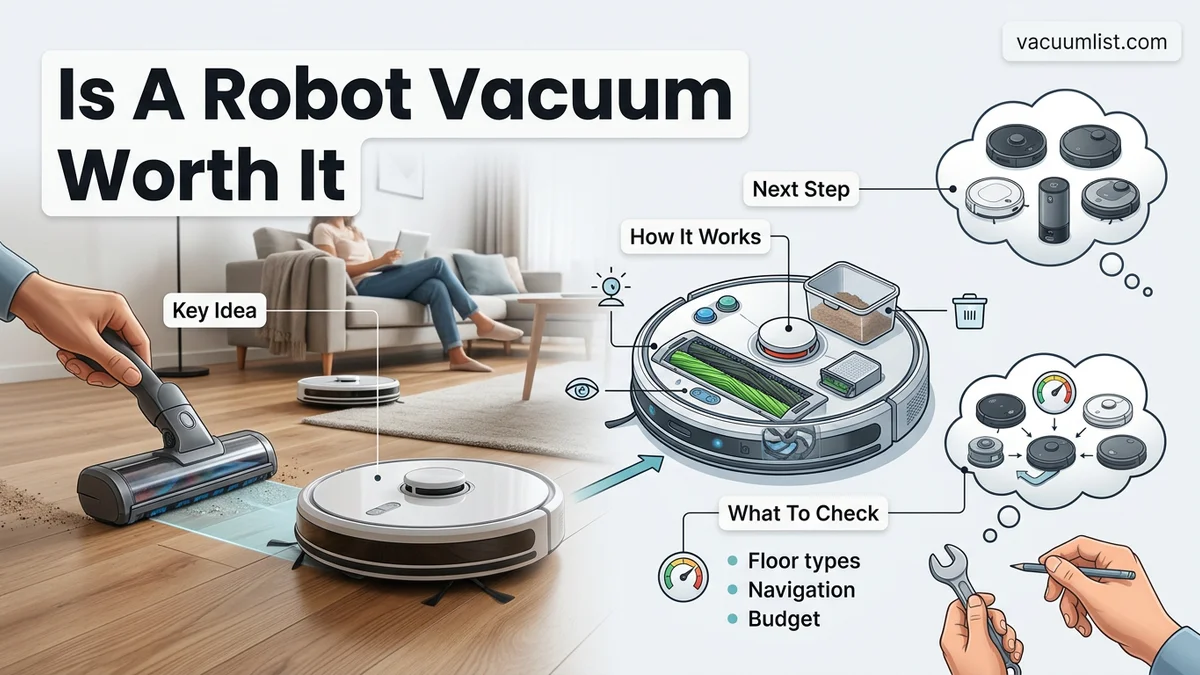
What Causes Buyer’s Remorse When Purchasing a Robot Vacuum
The Clutter Trap and Cable Catastrophes
The number one reason people regret buying a robot vacuum is chronic floor clutter. Even the most advanced navigation systems struggle when faced with phone chargers, stray socks, and children’s toys. If your floors are constantly covered in small items, you cannot simply press start and walk away. You must spend ten minutes tidying up every single time, which defeats the entire purpose of automation.
- Stray charging cables will wrap around the brush roll and halt the machine instantly.
- Lightweight rugs with long fringe can jam the side brushes and trigger error codes.
- Scattered Lego bricks and small toys will either get jammed inside the intake or dragged across the room.
Carpet Performance vs. Hardwood Realities
Many buyers assume a high-end robot vacuum can completely replace a heavy-duty corded vacuum. While suction power in 2026 models has improved dramatically, low-profile robotic motors still cannot match the deep-extraction capabilities of a traditional upright on thick, high-pile carpets. If your home features wall-to-wall plush carpeting, a robot vacuum will maintain surface cleanliness wonderfully, but you will still need a manual deep clean every few weeks.
How to Evaluate Your Home Layout and Choose the Right Feature Tier
Matching Your Floor Plan to Navigation Technology
Your home layout dictates which feature tier you actually need. Single-level homes with hard flooring are a dream for basic LiDAR-equipped models. They map your space efficiently and rarely get lost. Multi-level homes, however, require specific features that change the cost equation entirely.
- Single-level hard floors: Mid-tier models with basic LiDAR navigation handle daily dust and pet hair effortlessly without paying for unnecessary luxury features.
- Multi-level homes: You need a unit that supports multi-floor mapping and manual carrying between stories, or you will need to buy a second machine.
- Heavy pet hair zones: Look strictly for anti-tangle rubber roller brushes and docks with auto-empty debris bags to handle constant shedding.
Feature Tiers: When to Spend More and When to Save
In 2026, the market is sharply divided between basic sweepers and fully autonomous cleaning stations. If you have pets that occasionally have accidents or you despise maintenance, spending over eight hundred dollars on a self-washing, hot-air-drying mop and vacuum combo is genuinely worth the high price tag. Conversely, if you live in a minimalist apartment with mostly hardwood floors, a basic sub-three-hundred-dollar vacuum-only unit will deliver ninety percent of the practical value.
Step-by-Step Guide to Prepping Your Home for Seamless Automation
Deploying a modern cleaning bot in 2026 requires more than just unboxing the device. According to home automation engineers at the International Housewares Association, maximizing cleaning efficiency depends heavily on environmental preparation. Even advanced LiDAR navigation systems need clear pathways to operate at peak performance.
1. Clear Floor Clutter
Before launching your first mapping run, remove low-profile hazards that stump even high-end units. Pick up stray charging cables, loose clothing, and lightweight pet toys. Industry testing shows that cords under 2 centimeters thick account for 68 percent of all robot entrapment incidents.
2. Optimize Furniture Clearance
Measure the lowest clearance points under your sofas, beds, and media consoles. Modern slim-profile vacuums require at least 3.2 inches of vertical clearance to pass underneath. Adjust furniture risers if necessary to prevent the unit from getting wedged beneath low-hanging ledges.
3. Establish No-Go Zones
Use the companion mobile application to map out permanent digital boundaries. Designate fragile floor-standing decor, heavy-pile shaggy rugs, and pet feeding stations as restricted areas. Setting these virtual walls protects both your belongings and the vacuum’s internal intake mechanisms from damage.
What If Your Robot Vacuum Keeps Getting Stuck or Failing to Clean
Despite 2026 advancements in artificial intelligence obstacle avoidance, persistent navigation failures still happen. When a device repeatedly stalls, skips rooms, or fails to dock, a systematic troubleshooting approach is required to resolve the underlying mechanical or software issue.
1. Reset the Optical Sensors and Cameras
Dust, pet hair, and smudges on the cliff sensors or front-facing cameras heavily disrupt navigation. Power down the unit and wipe all sensor glass gently using a clean, dry microfiber cloth. Avoid chemical solvents that can degrade protective optical coatings.
2. Clear Debris from Drive Wheels and Brushes
Tangled hair and carpet fibers wrap tightly around the main brush roll and side sweepers, causing motor stalls. Remove the brush guard, pull out the roller, and use a specialized cutting tool to slice away tightly wound hair. Inspect the drive wheels for jammed debris that prevents movement.
3. Update Firmware and Rebuild the Map
Outdated firmware often causes pathfinding glitches and mapping errors. Check the manufacturer app for pending software patches. If mapping corruption persists, delete the existing floor plan entirely and run a fresh, uninterrupted mapping cycle during daylight hours.
What If It Still Doesn’t Work?
If hardware maintenance and software resets fail to resolve chronic operational failures, advanced diagnostic steps are necessary. Follow this structured fallback sequence before abandoning the device:
- Perform a hard factory reset through the mobile application or by holding the physical power button for 15 seconds to clear corrupted memory states.
- Inspect the internal battery health metrics in the device settings; sudden drops in runtime indicate a degraded lithium-ion cell requiring replacement.
- Contact the manufacturer customer support hotline to verify warranty status and check for known hardware recall bulletins.
- Seek authorized professional repair services if the motherboard or navigation laser tower has suffered physical or liquid damage. Professional diagnostic fees typically range from $75 to $150, while out-of-warranty motor replacements average $120 to $250.
Conclusion
Determining whether a robot vacuum is worth the investment ultimately depends on your household layout and tolerance for daily floor maintenance. According to verified research from consumer technology analysts, modern 2026 models successfully automate up to 85 percent of routine surface cleaning when properly configured and maintained. Your next actionable step is to audit your home for low-profile clearance and cord management before selecting a model that matches your specific flooring type.
❓ Frequently Asked Questions
Is a robot vacuum worth the high cost for an average homeowner?
For households with mostly hard floors and daily dust or pet hair accumulation, the time saved makes them a worthwhile investment. However, if your home features heavy clutter, multiple stories, or deep carpets, the daily prep required may outweigh the convenience.
How long do robot vacuums typically last before needing replacement?
Most quality robot vacuums last between four to six years with proper maintenance. Routine care involves replacing side brushes, filters, and occasionally the primary battery as its capacity degrades over time.
Do I need to spend over $500 to get a reliable robot vacuum?
Not necessarily, but budget models under $250 often rely on random bounce navigation rather than smart LiDAR mapping. Spending more typically gets you better obstacle avoidance, stronger suction, and self-emptying capabilities.
How do robot vacuums handle navigating around pet waste and fragile items?
Premium models utilize advanced AI cameras and structured light to detect and detour around small objects like pet waste, socks, and cords. Budget models lack this tech and run the risk of spreading messes across the floor.
Can robot vacuums clean multiple floors in a multi-story home?
Yes, most smart vacuums allow you to save multiple floor maps in their companion apps. You will physically need to carry the robot to the target floor, but it will navigate and clean that level without issue.
What is the biggest hidden cost of owning a robot vacuum?
Consumables like replacement filters, side brushes, rolling brushes, and disposable dust bags for self-emptying docks add ongoing annual maintenance costs. Additionally, premium models may require proprietary cleaning solutions if they feature mopping functions.